Pages

Monday, April 8, 2013

Best Party Punch Ever & "brownies"

First off, I saw this funny April Fool's joke on Pinterest and just HAD to try it with my kiddos last week.


Of course I forgot my brownie pan, but I made do with a paper plate and paper towels to cover it.  We have a snack time, so when we came back into our class for snack, I told my kids that I brought a snack for them... brownies!  They were excited, until I started passing them out.  I kept saying, "Mmm, brownies" and "See, these are brownies."  It took some of them a few minutes to get that they were brown e's and understand the joke.  It was cute.  I let them take the brown e's home to try out on a family member.

I also wanted to share a quick punch recipe.  I'm really not a punch drinker but I found this recipe on Pinterest and have LOVED it ever since.  The first time I made it, I didn't have some of the ingredients (like pineapple juice), so I substituted something here and there and like the way I make it.  I also halved the recipe because the original recipe makes two large pitchers/punch bowls and I usually don't need that much.  Check out the picture below for the recipe that I use.


Photobucket

Thursday, March 28, 2013

Back on the Grid & Popplet

Yes, I know I have been MIA for a few weeks month, but I have a good reason.  A really good reason.  I went on two... yes, two... vacations!  My hubby and I went to Jamaica and then on a Caribbean Cruise!  Here are a few pictures to make you jealous....


Both trips were AMAZING and I plan on posting more about them later.

But for now, I need to post something useful to regain my blogger status.  My last post was about Glogster.  It's a great site for students to create online bulletin boards.  I also mentioned that I have used Wallwisher and Popplet this year in my classroom.  So I thought I'd share more about Popplet if you haven't heard about it.

Popplet is basically an online organizer, or as they say "a place for your ideas."  It seems like you can really do a lot with it.  I have only used it for one activity, but I am interested in trying it out for different purposes.  You can sign up for free for limited access.  I think you can create up to five popplets for free.


I used Popplet during our Solar System unit... which I'm planning on posting more about also.  After learning about different parts of the Solar System, we created a Popplet that shows what we learned.  My students told me what to write, and I typed it all on my laptop while it was reflected onto the SmartBoard.


I think it would also be great for students to use as an online graphic organizer for writing or research projects.

If you haven't heard of it, it's definitely worth taking a look at!  If you use it in your classroom, I'd love to hear about how you use it!

Photobucket

Thursday, February 28, 2013

Glogster - Integrating Technology

Ever heard of Glogster?  Yeah, me either... until I went to a district PD.  This was way back in the fall, but I knew I wanted to try some things out that I had earned on how to integrate technology into the classroom and into the units I was already planning on teaching.

Glogster is basically an online poster board.  Students can choose from various backgrounds, graphics, images, everything.  Or they can choose a pre-made template.  They can add text boxes and change the font, color, size, etc.  I used Glogster for our States of Matter unit.  I put my students in groups of three and four.  Our tech coach created accounts for each of our groups and gave them a little intro.  Then the kids went to town!  I did create a checklist for them so they would include the necessities for showing me what they learned about the states of matter; it included things like: create a background, create a tile, include 3-6 graphics, included three text boxes, etc.

And voila!


The projects took a little longer than anticipated, but isn't that how it always happens?!  These are two of the five projects my students created.  I was really impressed.  You can click the play buttons to hear the students talking.  I also got a lot of great feedback from parents saying they were impressed as well.

Here are a few other pieces of technology that I've been trying out this year.  These are free!

Wallwisher/Padlet

Popplet

Photobucket

Monday, February 4, 2013

Monday Made It - Valentine's Day Goodies!

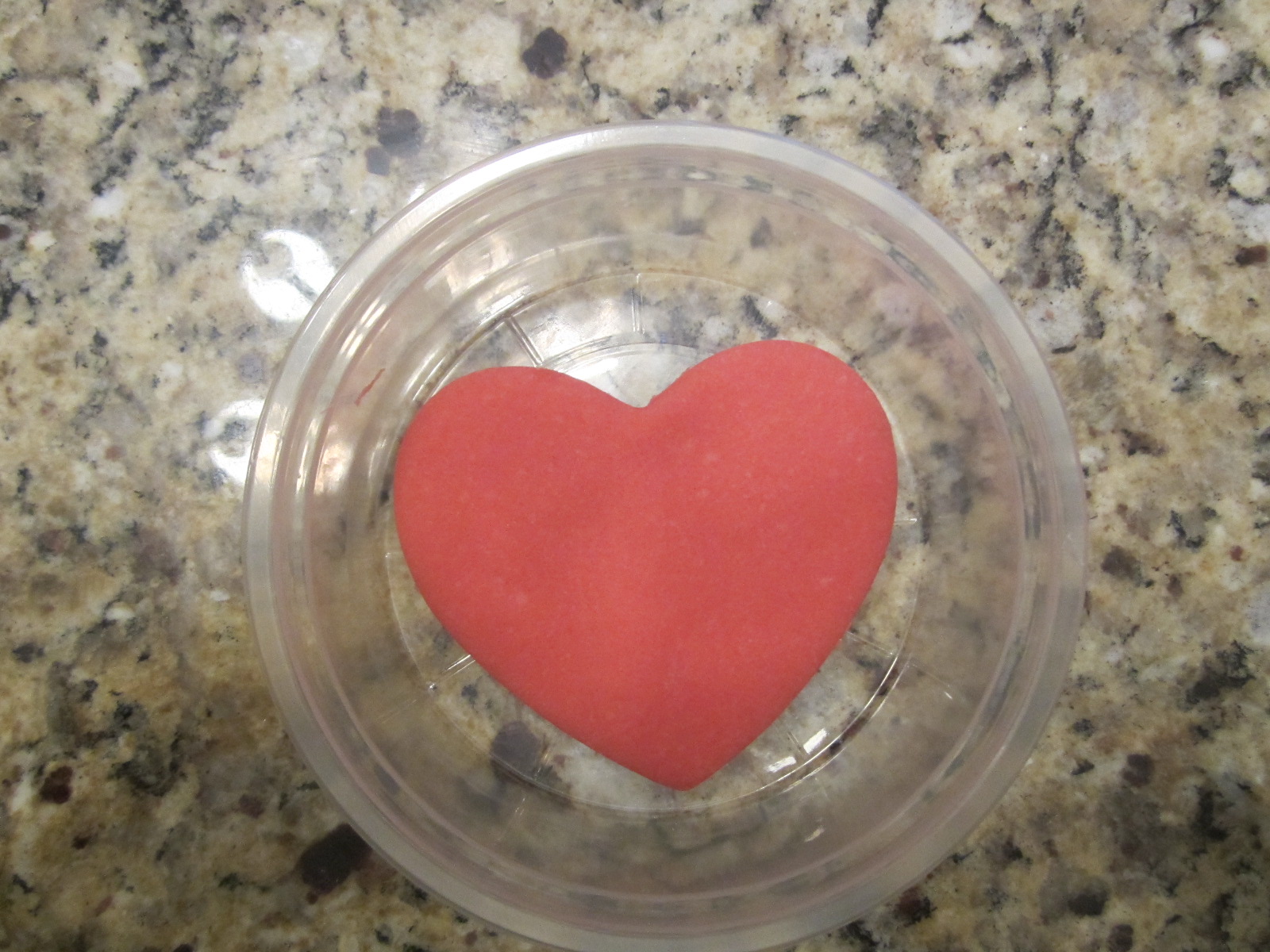
I am linking up with Tara from 4th Grade Frolics for Monday Made It!  I haven't linked up since November.  Sigh.  OK, so I saw this cute idea {here} on Pinterest... of course.  I've always liked the idea of homemade play dough and thought it would be a perfect little Valentine's Day goody for my second graders.  To holiday-it-up a little, I used a cookie cutter to shape the play dough into hearts.  How cute, right?!

What?  It's so cute, you want to make it too?  OK, here's the recipe:

Ingredients:
(makes 5-7 "servings")
1 packet of Kool-Aid
1 cup of flour
1/2 cup of salt
2 tablespoons of cream of tartar
1 tablespoon of vegetable oil
1 cup of boiling water

Directions:
1. Mix your Kool-Aid, flour, salt, and cream of tartar in a mixing bowl

2. Add the boiling water and vegetable oil; stir well until it becomes firm

3. Grab a handful of dough and sprinkle with a little flour (I had some flour on wax paper)

4. Flatten out your dough, use a cookie cutter to cut out your shape

And voila!  Cutest thing ever.

I put the play dough in small round tupperware I found at the Dollar Store... 5 for $1.00.  Then I made a label for my kiddos and they were done!  I can't wait to give them to my students!


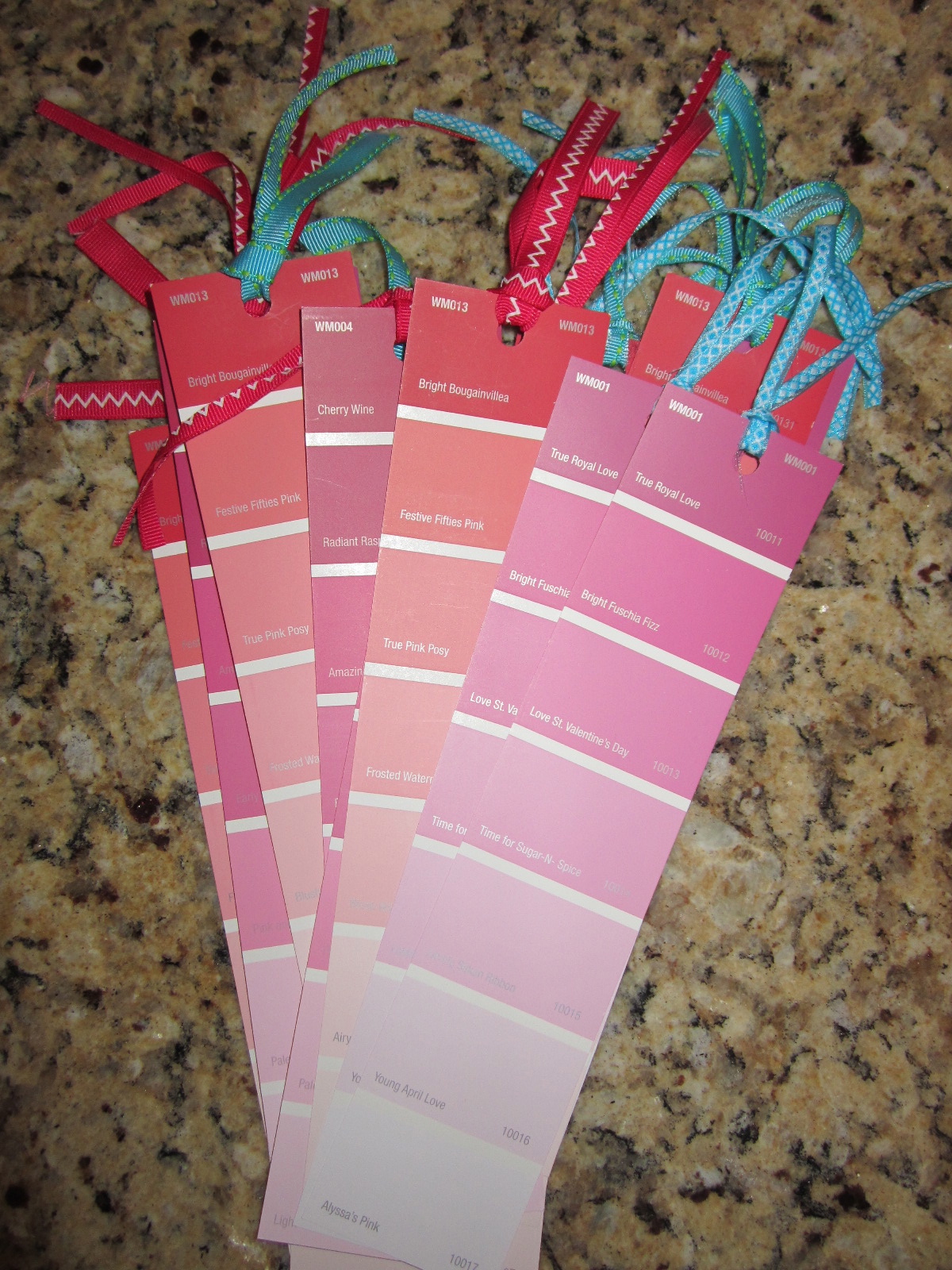
Another Pinterest idea... Paint chip bookmarks!  So easy.  I "borrowed" some pink and red paint chips from Walmart, hole-punched them, and put some ribbon through them!  Just a little Valentine's Day goody to have on my students' desks when they come in on Valentine's Day morning!


Be sure to check out all the crafts at 4th Grade Frolics!


Photobucket

Friday, February 1, 2013

Cheerios & Jell-O = Matter

My little second graders have been learning about Matter!  We have done a lot of fun things so far but I want to share some of my students' favorites.  I saw this idea on Pinterest and liked it so much, we made them in my class!  We watched a BrainPop Jr video on solids, liquids, and gases and talked about the atoms in each state of matter.  The following day, we made these posters with Cheerios!  I tell you... they LOVE any activity that involves food!


Another fun thing we did after learning about changing states of matter was make Jell-O!  First we talked about how to read and follow a recipe.  Then I split students into groups and gave them a numbered card 1-4.  Each number/student had a different job so they could all pitch in.

#1 poured the jell-o mix into the bowl

#2 poured the cup of water into the jell-o bowl

#3 stirred the jell-o and water

#4 poured the jell-o into cups (with my help)

We ate the jell-o for snack the next day!

Next??  We are braving a Glogster project to show what we've learned about the states of matter!

Photobucket